Stop Recording Loom Videos: Why Automated Release Marketing Is the Future for Developers
You shipped a feature. Now you need to show it off.
So you open Loom, fumble through the screen recording, stumble over your words, re-record three times because you forgot to close Slack, and finally end up with a video that's... fine. Forty-five minutes of your life you'll never get back, for a two-minute demo that'll be outdated by next sprint.
And you still need screenshots, a blog post, social content, and a release email. Sound familiar?
There's a better way. And no, it doesn't involve hiring a video editor, a copywriter, or learning After Effects.
The Marketing Problem Every Developer Knows
Let's be honest: developers didn't get into this line of work to produce marketing content. But somewhere along the way, demo videos, blog posts, and social updates became essential. Investors want them. Users expect them. Product Hunt listings need them. Your README looks naked without a demo.
The current options aren't great:
- Manual screen recording (Loom, OBS) — Time-consuming, awkward, breaks every time the UI changes
- Interactive demo platforms (Arcade, Storylane) — Better, but you're still clicking through flows manually to build them
- Hiring it out — $500+ per video, $200+ per blog post, turnaround measured in days, and it's stale before the invoice arrives
For a solo dev or small team shipping weekly, none of these scale. You'd spend more time on marketing than writing code.
What "Automated" Actually Means
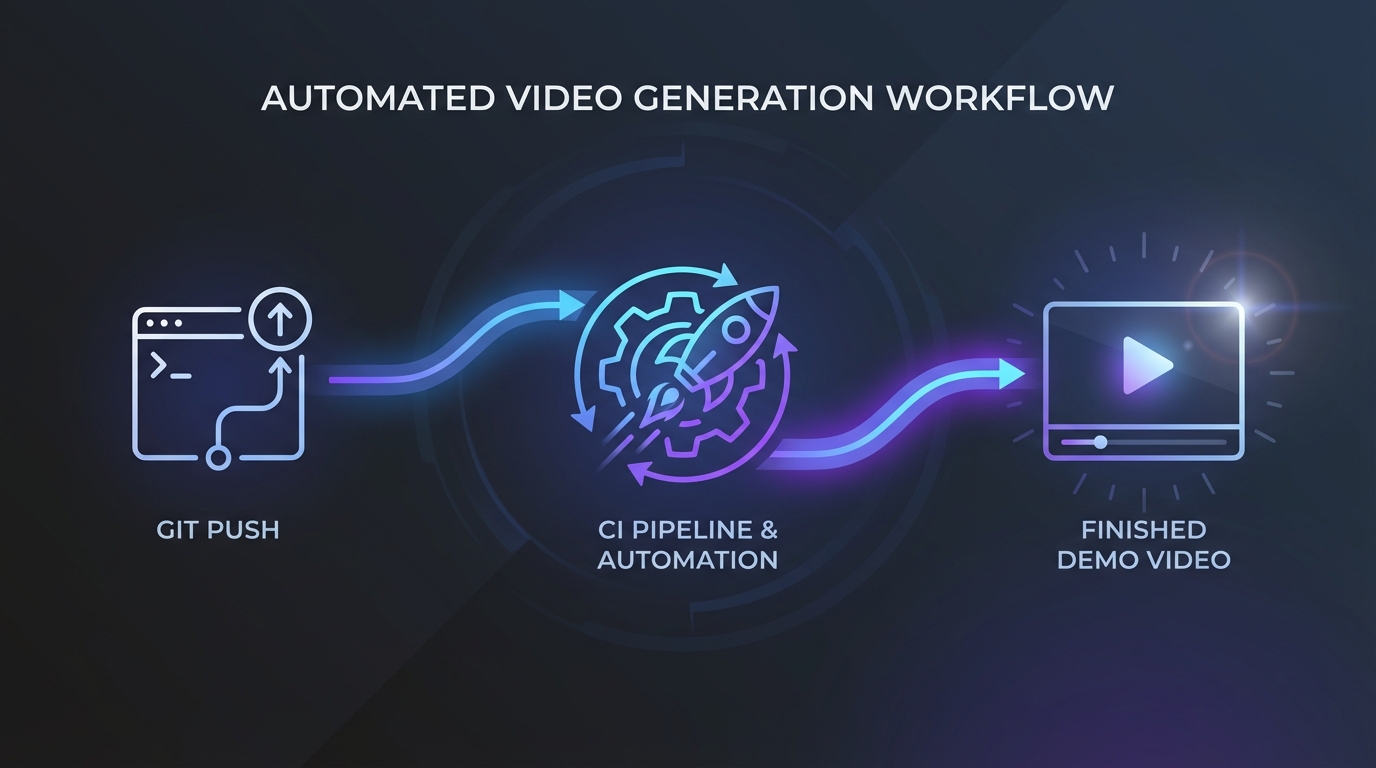
When we say automated release marketing, we don't mean "AI helps you edit your recording." We mean you tag a GitHub release and a complete marketing package shows up. No recording session. No script writing. No editing. No copywriting. The whole thing happens in the background while you move on to the next feature.
Here's how it works with LaunchStation:
- You tag a GitHub release. That's it. That's your only job.
- LaunchStation reads your release — title, body, linked PRs — and spins up a browser session against your live app.
- AI generates a full release package: demo video (up to 1 minute), key screenshots, a feature graphic, an SEO-optimized blog post, social media posts, and a release email.
- Everything lands in your dashboard — ready to share, embed, and publish.
No webcam. No "uh, let me just..." moments. No re-recording because you scrolled past the wrong section. No staring at a blank blog draft.
Why This Matters More Than You Think
Your Marketing Stays Fresh
Every developer has experienced the outdated screenshot and stale blog post problem. Your docs show a UI from six months ago, and your last blog post was three releases behind. Automated release packages tied to GitHub releases mean your entire marketing presence updates itself.
PR Reviews Get Better
Instead of reading a wall of text explaining what a PR does, reviewers can watch a 30-second video of the actual changes in action. Context in seconds, not minutes.
You Ship Faster
The psychological barrier is real. How many times have you delayed a launch because you "still need to make the demo video and write the blog post"? When that step is automated, it disappears from your mental load entirely.
Marketing Runs on Autopilot
Every GitHub release becomes a full marketing event. Share the video on X, publish the blog post, send the release email. The content pipeline fills itself. On paid tiers, social posts auto-publish to X — you don't even need to copy-paste.
"But My App Is Complex..."
Fair concern. Automated tools work best when they can navigate your application intelligently. LaunchStation uses AI to understand your app's flows — not just clicking randomly, but following the paths that actually matter to users.
For complex apps, you can define key flows you want captured. The AI handles the execution, timing, and narration. Think of it less like a screen recorder and more like a QA tester that produces marketing assets as a side effect.
How This Fits Your Workflow
If you're using GitHub, integration takes about five minutes. LaunchStation listens for GitHub release webhooks. There's nothing to install locally, no desktop app to keep running, no browser extension to maintain.
The pricing reflects the developer-first approach:
- Free tier — 2 releases (lifetime) (demo video + social copy included; screenshots, feature graphic, blog post, and email shown as locked previews)
- Indie ($19/mo) - 3 releases/month with the full package, auto-publish to X, hosted blog at
<project>.launchstation.dev - Pro ($59/mo) — 12 releases/month, Brand Kit (custom logo, colors, fonts, voice ID, music, custom watermark), release emails via Resend
Compare that to the opportunity cost of doing marketing manually: even one afternoon saved per month makes the Indie plan worth it.
The Shift That's Already Happening
The developer tooling market is catching on. We're seeing the same pattern that happened with CI/CD a decade ago — tasks that developers used to do manually are getting automated into the pipeline. Testing, deployments, monitoring, security scanning... all automated. Marketing collateral is next.
The tools that win in the developer space are the ones that disappear into the workflow. You don't think about GitHub Actions running your tests. You shouldn't have to think about marketing your releases either.
Try It Without the Commitment
If you're skeptical (and you should be — developers who aren't skeptical of new tools aren't paying attention), start with the free tier. Connect one repo. Tag a release. See what comes out.
The worst case? You wasted five minutes on setup and got a free demo video and social copy. The best case? You never open Loom or a blog editor again.
Get started at launchstation.dev →
LaunchStation generates complete marketing packages automatically from your GitHub releases — demo video, screenshots, feature graphic, blog post, social posts, and release email. No recording, no editing, no writing. Built for developers who'd rather ship code than produce marketing content.